Your website can’t rank if search engines can’t crawl it.
That’s the simple truth of technical SEO, and the reason every digital agency should know and love it. Even the smartest content strategy or most impressive backlink profile can’t get the wheels of your site turning if crawlability, indexation, or page speed are in the mud.
In this technical SEO guide, we’ll cover everything you need to know about technical SEO services, what it includes, and how to perform a comprehensive website health check. If your digital agency offers SEO as a service or you’re a marketing team looking to up your site’s game, this guide will show you how to audit smarter, fix faster, and scale results with confidence.
Book a free technical SEO audit and see how your site measures up.
Technical SEO services, which are often led by a technical SEO specialist, are focused on ensuring that search engines can discover, crawl, and index your website as smoothly as possible.
This includes everything behind the scenes, on your website and off. They’re different to on-page SEO (focused on keywords and quality of content) and off-page SEO (focused on backlinks and brand authority) but just as important in driving your growth strategy.
Content SEO is all about the information that your audience can see. Technical SEO is all about the information search engines can see. For example, content SEO will optimize the headline and meta description of a blog post. Technical SEO will make sure it’s accessible in an XML sitemap, loads quickly on mobile, and doesn’t have any duplicate or conflicting canonical tags. In other words, technical SEO services lay the foundation to make great content work.
A technical SEO audit checks everything that affects the way search engines crawl, index, and rank your website. Think of it as a site health check-up. An SEO audit will help agencies identify performance issues that may be stopping your website from performing better in search. These issues like redirects not working, duplicate content, and JavaScript rendering issues may not be noticeable but are a silent killer to performance.
At least every six months you should run a complete health check of your website. If you have an enterprise-level site or an active eCommerce website, you should aim to do an audit every three months. It’s best to run a re-check audit any time your website undergoes a significant change, like a major redesign, migration, or if you switch CMS.
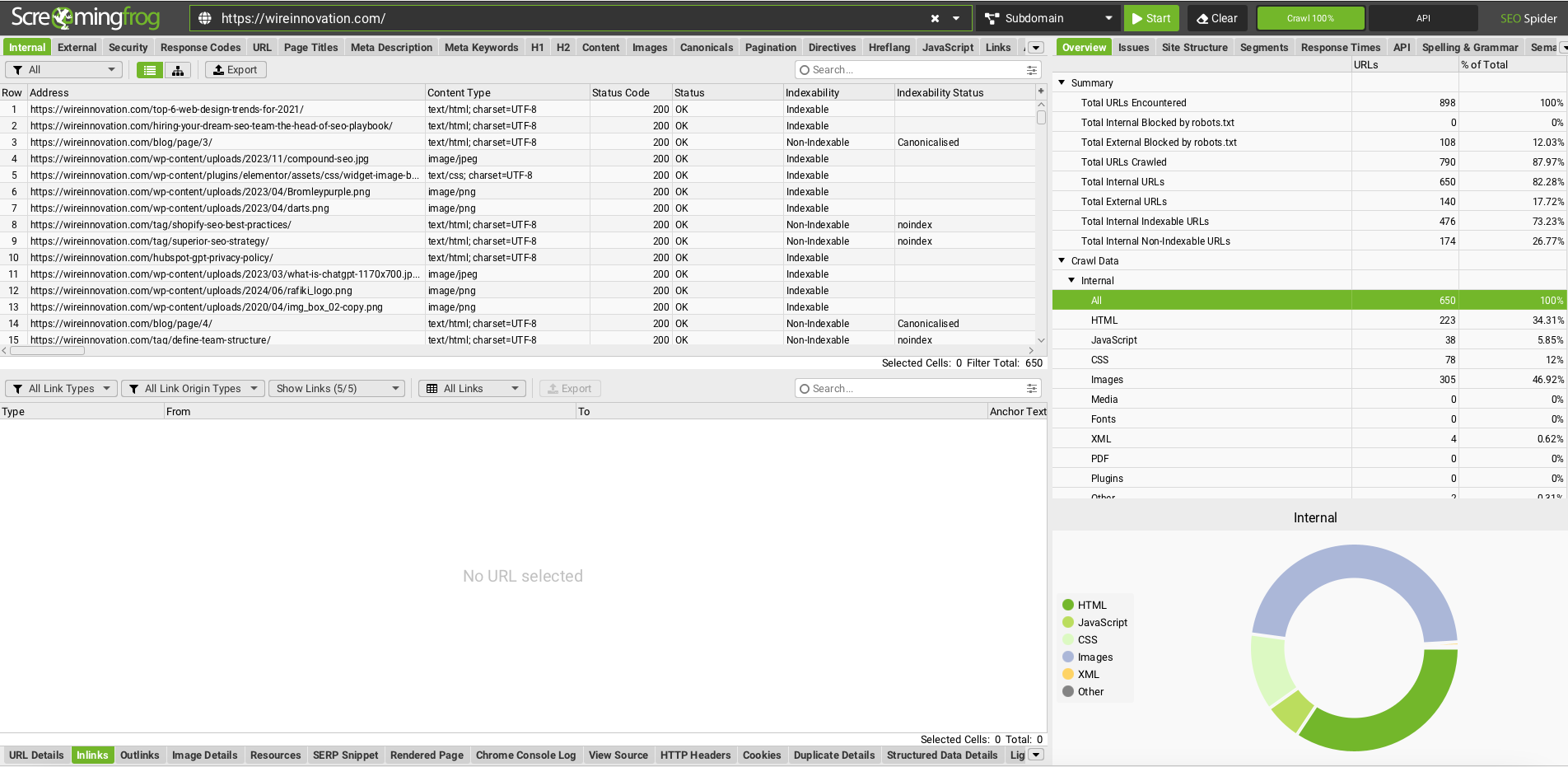
A disciplined approach means audits remain streamlined and repeatable, particularly for agencies with multiple clients. Key metrics that define a healthy, crawlable website include crawl depth, indexation rate, page speed, server response time, and Core Web Vitals. Monitoring these ensures search engines can efficiently discover and rank your most important pages.
Use this as your SEO audit checklist to make sure no key steps are missed:
Need help with implementing these checks? Our team can help you.
Yes, a few. Top agencies often use a combination of free and paid tools to get a well-rounded view of their client’s technical SEO status. Here are some of the best technical SEO tools experts regularly use:
Did you know WiRe Innovation uses an advanced automation framework to conduct parallel technical SEO audits for multiple clients? This saves us hours of manual review time.

Even the best websites and agencies make a number of hidden technical SEO mistakes. If these mistakes aren’t fixed, it could lead to a ranking drop or users leaving your site out of frustration.
Let our experts diagnose and fix the hidden technical issues on your website.
Google’s Core Web Vitals (CWV) measure real-world user experience and directly influence rankings.
All these metrics collectively determine page load speed and stability. CWV failures can harm both SEO and conversion rates, particularly on mobile devices.
Optimizing CWV, starting with site speed (through CDN, code minification, and caching), leads to improved user experience and better organic performance.
Structured data and schema markup provide additional context to Google so the search engine knows what your content means, not just what it says.
Structured data is one of the most innovative technical SEO pillars, serving as the clearest and most direct link between your website’s backend and Google’s semantic recognition of entities. Tools like WiRe Innovation’s Schema Markup Validator help you test your structured data and find errors before they can affect your indexation status. Learn more about mastering SEO entities.
When Google crawls and ranks your website, it does so using the mobile version first. A slow, unresponsive or otherwise poor mobile experience can hide your site from view even if your desktop website is optimized.
Do this:
Mobile-first indexing is now an official ranking factor for SEO and has a direct impact on crawlability and indexation. Ensuring your mobile site performs across regions and devices is critical for indexing and visibility.
Also, automation tools can help agencies scale audits efficiently without sacrificing accuracy. Read more about SEO vs AEO strategies.

Technical SEO reports help agencies prove ROI and maintain transparency with clients.
Include as much of the following in your report:
Use visual charts to present the data. You can also pull in trend data from tools like Search Console and Ahrefs to clearly demonstrate improvement over time.
For eCommerce sites, frequent audits are essential to maintain performance. Learn how to boost your e-commerce search with Shopify SEO audit insights.
If you’re working with multiple clients, it’s even better to use automated dashboards that refresh audit data on a weekly schedule. WiRe Innovation’s automation workflows make this easy at scale.
If your team doesn’t have time or the right tools to run deep technical audits, it might be time to hire technical SEO experts or partner with a professional agency to get faster, more reliable results.
Look for an agency with:
WiRe Innovation is trusted by agencies and brands for all aspects of technical SEO, providing end-to-end technical SEO solutions that improve site performance and scalability. We handle everything from audit automation, implementation, and ongoing optimization to ensure each site is performing to its full technical potential.
Full technical audits, error correction, site speed optimization, structured data setup, crawl budget management, and continuous performance monitoring.
Depending on the size and complexity of the website, a full audit can take from one day to several weeks. Automated technical SEO tools like WiRe Innovation’s audit platform can complete the process much faster.
Pricing will vary depending on site scale and desired goals. Most agencies bill per page audited or per issue fixed, but keep in mind, you’re investing in your technical SEO to improve conversions and long-term visibility.
Optimizing your technical foundation makes your site easier to crawl, increases page speed, and improves overall user satisfaction. This increases ranking power and conversions.
Yes. Automation tools can help agencies more efficiently find errors, report issues, and perform recurring health checks. WiRe Innovation’s platform is built to help agencies save time and increase capacity without compromising on enterprise-level accuracy.
Automation, templates, and shared workflows are essential to scale your processes. Start with core tools such as Screaming Frog, GSC, and WiRe Innovation’s schema validator, then expand with APIs and dashboards to scale those tools for repeatable, high-quality delivery.
Technical SEO is the backbone of every successful website. Without a solid framework optimized for speed, structure, and crawlability, even the best content and backlink strategies can fall short. Agencies that prioritize technical SEO services can deliver measurable improvements in site performance, user experience, and organic visibility, all of which translate to stronger results for clients. Performing a thorough website health check helps agencies pinpoint issues before they affect rankings, ensuring ongoing performance improvements and better client ROI.
Get your full website health check with WiRe Innovation today and see what’s holding your site back and how to fix it fast.